Get a quoteCall +48 881 389 989
kontakt@vizus3d.comGdańsk, Gdynia, Sopot and the whole Tri-City. Larger projects also outside the region.
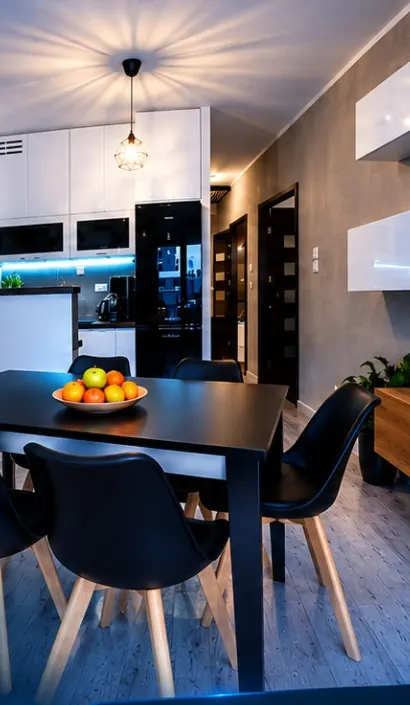
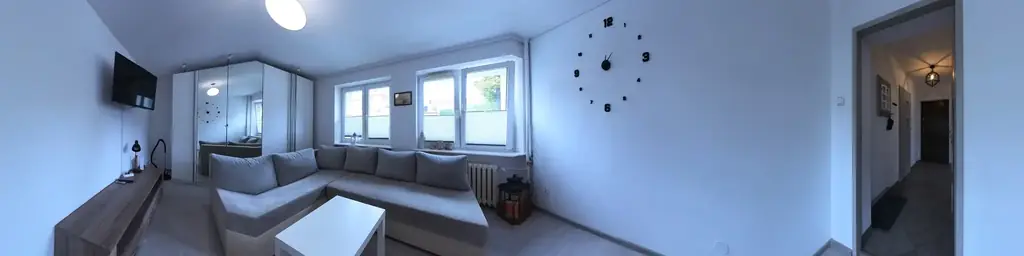
Living room, dining area and kitchen — a still from the 360° tour of the flat at 17 Lema St, Gdańsk
A-01Digital Property Presentation · Gdańsk · Gdynia · Sopot

The whole property in one link and QR code.

Drone film, photos, a 360° tour, 2D/3D plans, AI visualisations, location and description — in one online presentation. You send a link or print a QR code, and your client sees the whole property on a phone or computer, with no app to install — and the 360° tour in a VR headset too.

Apartment from PLN 1,990 · House from PLN 2,990 · Commercial — individual quote

360° tour from the presentation · Gdańsk, Lema 17 · vizus3d.com/morena (opens in a new tab)Watch the film · 20 s
§ 01Film · 20 s

From a QR scan to a call with the buyer

This is how your client sees a presentation: they scan the code on the banner, watch the film, the 2D and 3D plans, the location and every detail of the interior — in a VR headset too — and then call straight away. A real presentation of the flat at 17 Lema St, Gdańsk.

Gdańsk, Lema 17 · vizus3d.com/morena (opens in a new tab) · narrated in Polish
Narration (Polish)

“One scan or link. Your property from a new perspective. Film, 2D and 3D plans, location. Don’t just show photos. Show the whole property. Every detail. Direct contact. VIZUS3D — digital property presentations.” (translated)

  • 7elements in one presentation
  • 1link to the whole property
  • 1QR code for print and listings
  • 0apps to install
§ 02One property · 7 layers

Scroll to see what a presentation is made of

Every layer is real material from our projects — mostly from the presentation of the flat at 37 Żeromskiego St, Gdynia. At the end, everything goes under one link and QR code.

01 / 07

Film and drone footage

First the wide shot: the building, the area and distances from above. This film opens on central Gdynia and the sea, then moves down to the building and the interiors.

  • Film in the presentation
  • Drone shots
  • On-screen captions
02 / 07

Premium photos

Then the details. Photos of the interior and surroundings go into the presentation gallery — clients browse them one by one, no downloads.

  • Gallery
  • Interiors and surroundings
03 / 07

360° tour

The client steps inside and looks around — room to room, as if they were there. On a phone, on a computer, and in a VR headset as if standing inside. You can try it on a real panorama below.

  • Phone and computer
  • Also in a VR headset
Look around the panorama
04 / 07

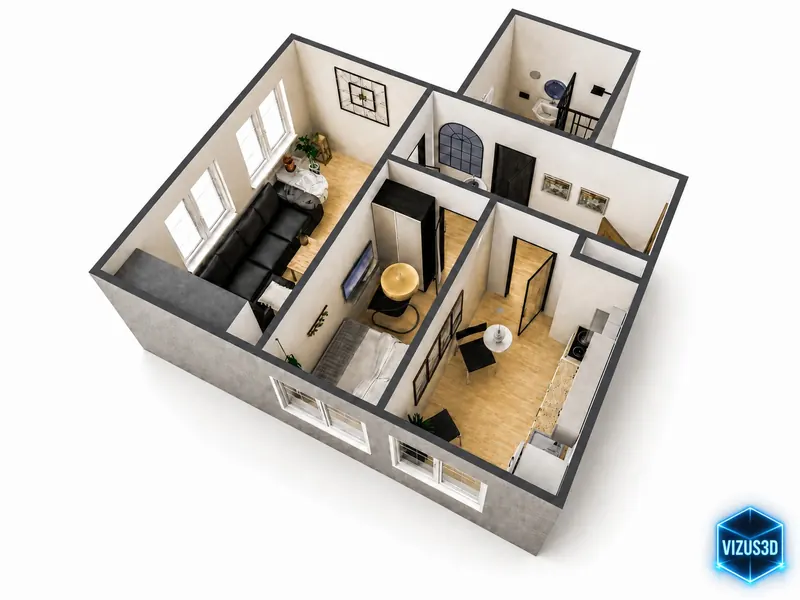
2D → 3D floor plan

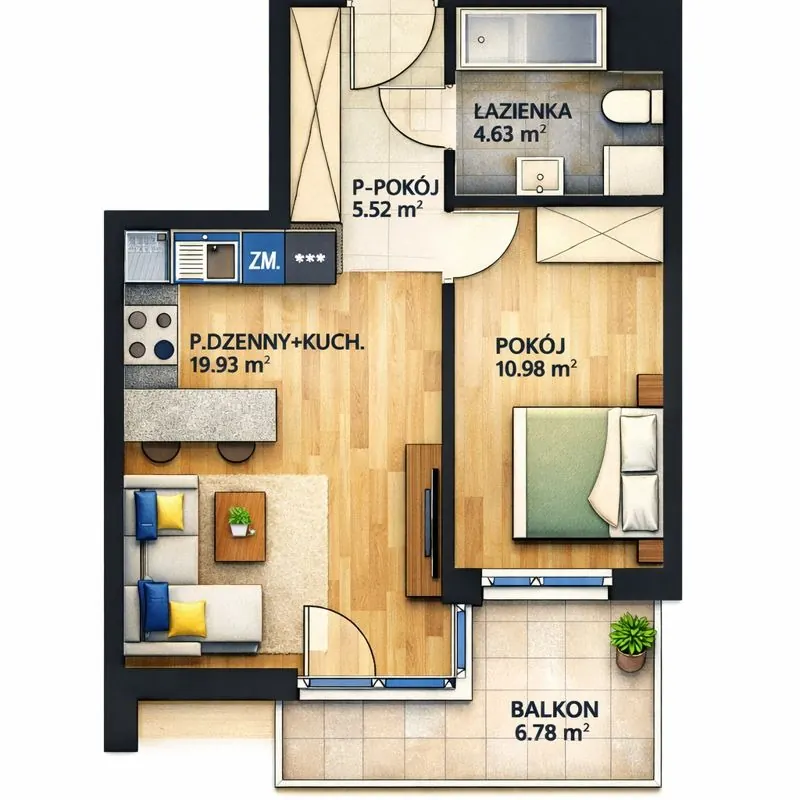
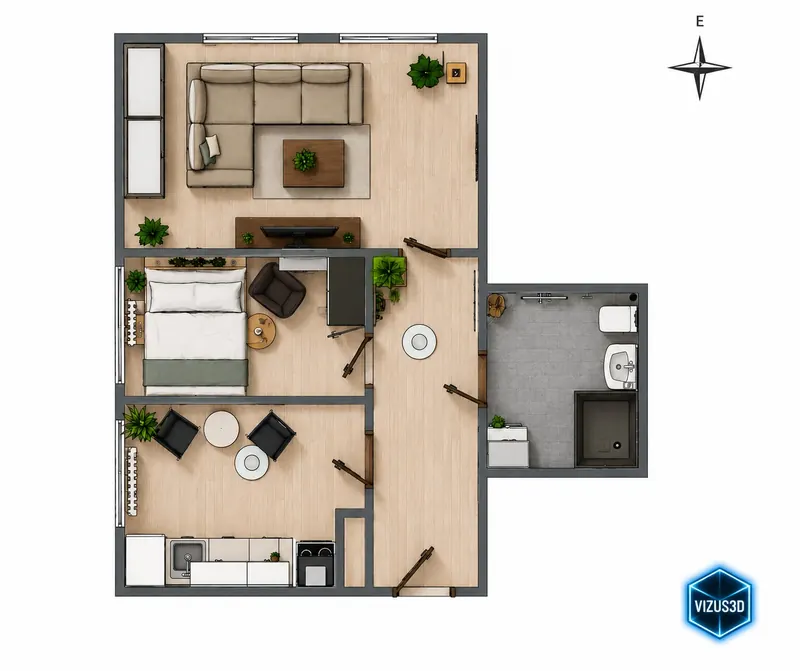
The layout at a glance: a plan with room sizes and a 3D model from above. The dimensions come from measurements taken on site.

Try the interactive plan
05 / 07

AI visualisations

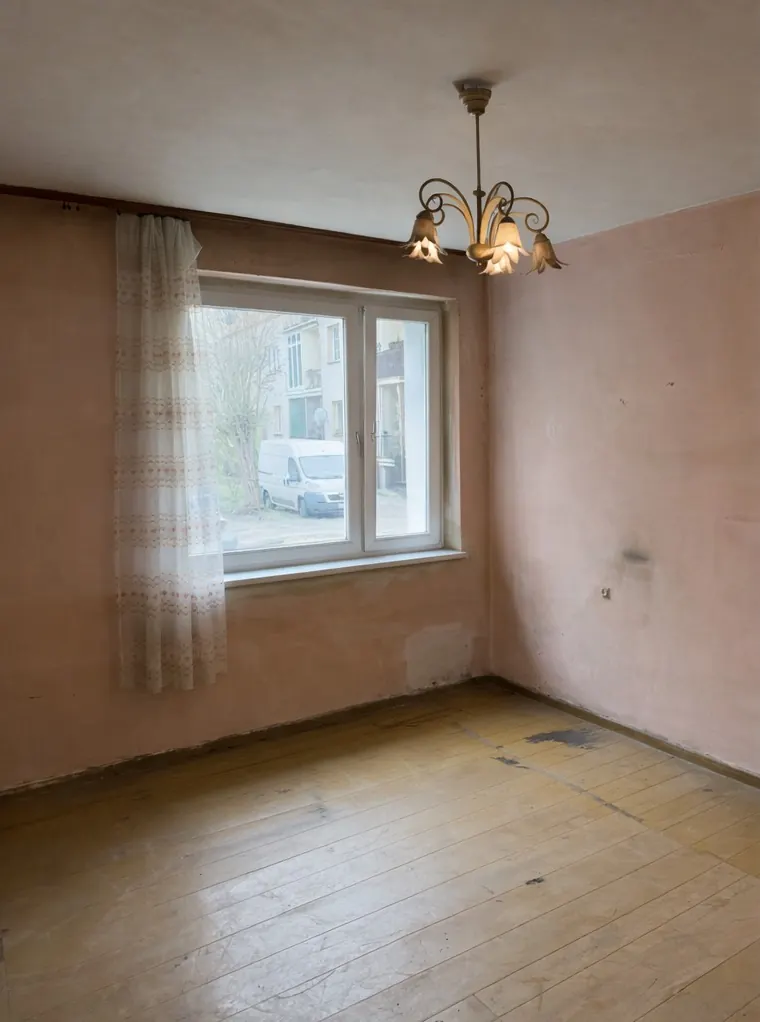
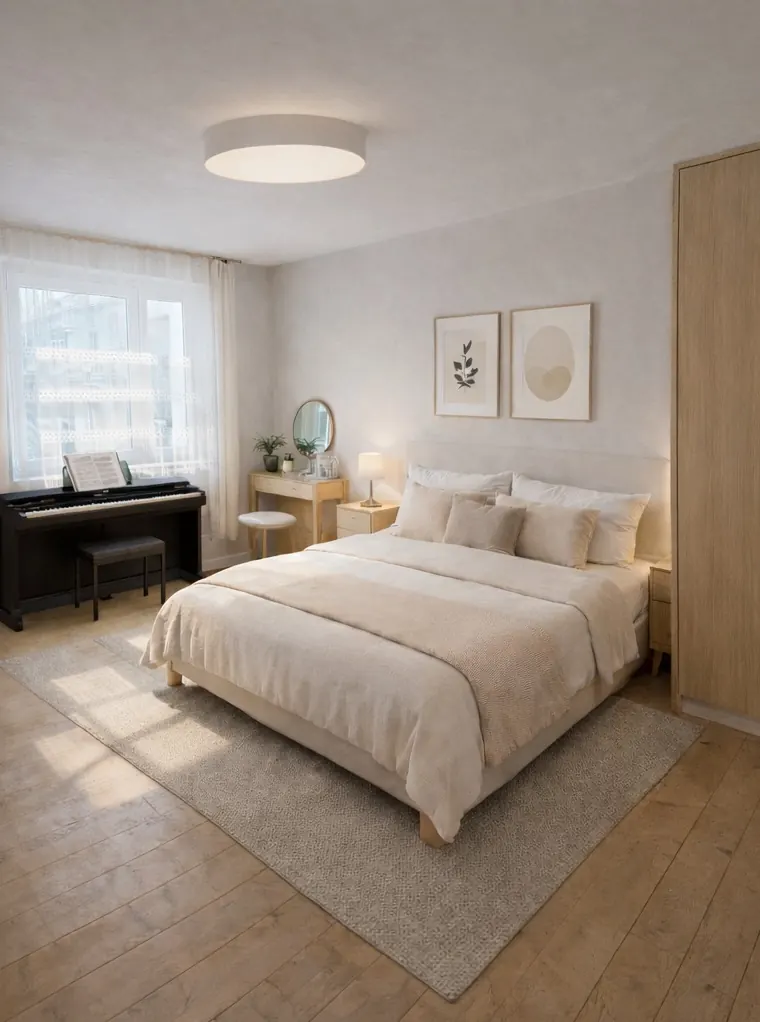
The interior’s potential: how it could look after staging or renovation. The current state and the visualisation are always clearly labelled — here, a bedroom at Kochanowskiego 59.

Compare with the slider
06 / 07

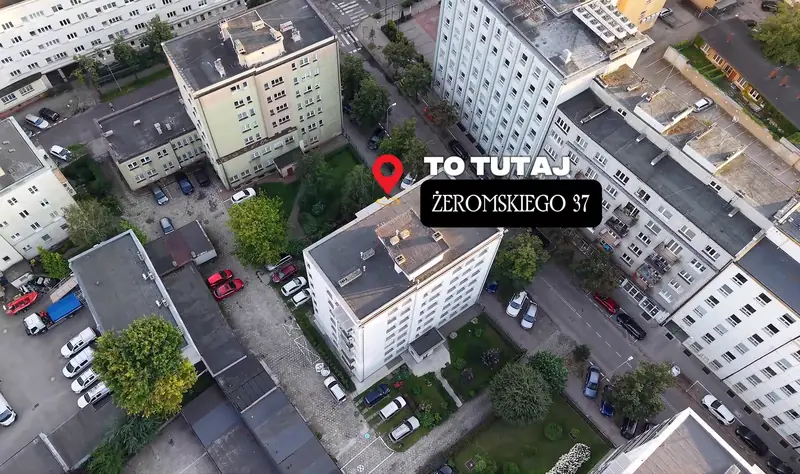
Location and description

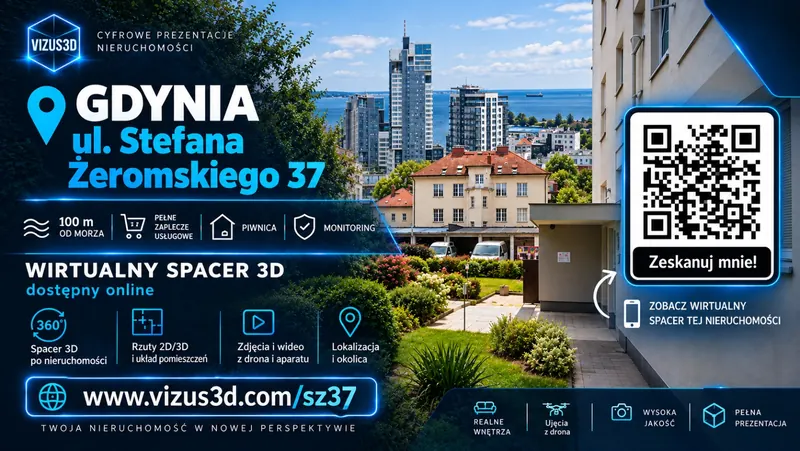
Where it is and what is nearby. The presentation includes a map, a description and highlights — at Żeromskiego 37: 100 m to the sea, shops and services, a cellar and CCTV.

  • Map of the area
  • Property description
07 / 07

Link + QR code

Each presentation has its own address and QR code. Paste the link into a listing or a message, print the code on a leaflet, banner or agency window.

  • www.vizus3d.com/sz37
§ 03360° tour

Look around. This is a real panorama.

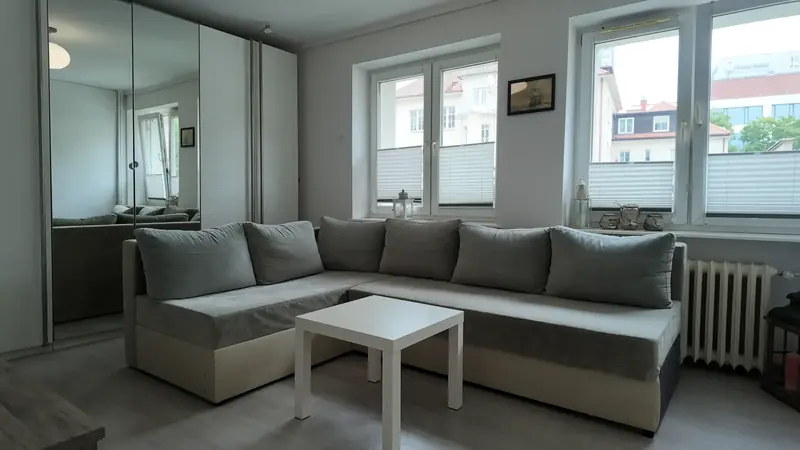
The living room from the presentation of the flat at 37 Żeromskiego St, Gdynia. Drag with your finger or mouse — this is how clients see every room.

The full tour — with transitions between rooms — is in the presentation: Żeromskiego 37 (opens in a new tab)

§ 04Equipment card

Click the kitchen equipment — see its card

In the real presentation, the client clicks the kitchen equipment in the 360° tour and instantly sees its card: model, features and technical data. Try it on the kitchen photo below.

§ 05Interactive floor plan

Point at a room — the plan explains the layout at once

A floor plan answers the buyer’s first question: how are the rooms laid out? Hover or tap — on real plans from our projects.

2D plan of a two-room flat: bathroom 4.63 m², hallway 5.52 m², living room with kitchen 19.93 m², bedroom 10.98 m², balcony 6.78 m²
2D plan · two-room flatHover or tap

2D plan with room sizes

A plan showing every room and its floor area. The dimensions come from measurements taken during the visit.

Room sizes come from the 2D plan. Room highlighting is a preview on this website — in the presentation the plan opens from the menu, next to the tour and photos.

§ 06Before and after

Show how it could look after renovation

AI visualisations show an interior’s potential before any renovation starts. Drag the slider with your finger or mouse.

Bedroom — AI visualisation after stagingBedroom — current state before renovationBefore · current stateAfter · AI visualisation

Bedroom — Gdańsk, Kochanowskiego 59

Current state and visualisation — clearly labelled

On the left, a photo of the interior as it is; on the right, an AI visualisation of a possible arrangement. Choose a room:

A visualisation shows a possibility, not the current state. The 360° tour and photos in the same presentation show the interior as it is.

A presentation with visualisations: Kochanowskiego 59 (opens in a new tab)

§ 07Projects

Three real presentations. Open any of them.

Every property gets its own address and QR code. Open it on a computer or scan the code with your phone.

Graphic with a QR code: Gdynia, 37 Stefana Żeromskiego St — virtual tour available onlinevizus3d.com/sz37
OB-01Flat · for rent

Gdynia, Żeromskiego 372 rooms, separate kitchen, ground floor

A spacious flat in a great location, 100 m from the sea.

In the presentation
Description · drone film · location · 2D and 3D plan · photos · 360° tour
Highlights
100 m from the sea · cellar · CCTV
Open the presentation (opens in a new tab)
QR code: vizus3d.com/sz37Scan with your phone —
it opens the presentation
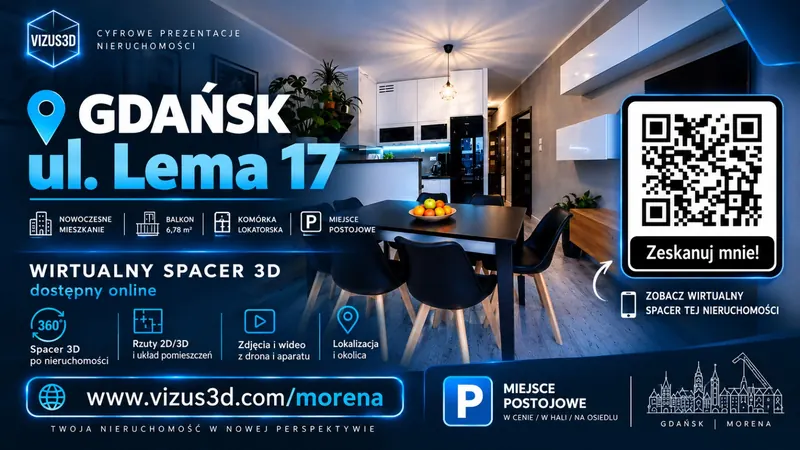
Graphic with a QR code: Gdańsk, 17 Lema St — virtual tour available onlinevizus3d.com/morena
OB-02Flat

Gdańsk, Lema 17Morena · 2 rooms · 42 m²

A modern flat with a view — a full online presentation.

In the presentation
360° tour · photos and film · 2D/3D plans · location and area · description
Highlights
6.78 m² balcony · storage room · parking space in an underground garage
Open the presentation (opens in a new tab)
QR code: vizus3d.com/morenaScan with your phone —
it opens the presentation
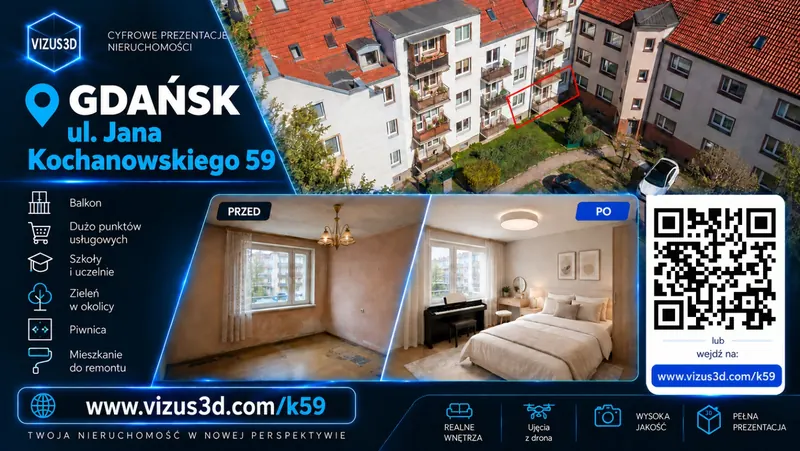
Graphic with a QR code: Gdańsk, 59 Jana Kochanowskiego St — flat to renovate, before and after AI visualisationvizus3d.com/k59
OB-03Flat to renovate

Gdańsk, Kochanowskiego 59Before renovation + AI visualisations

A flat with potential — its condition before renovation plus AI visualisations.

In the presentation
Information · location · 2D and 3D plans · photos and potential · 360° tour
Area
shops and services · schools and universities · greenery
Open the presentation (opens in a new tab)
QR code: vizus3d.com/k59Scan with your phone —
it opens the presentation

All projects

§ 08Who it is for

For anyone who shows a property

We prepare presentations for owners, agents and estate agencies, investors, developers and companies.

01 · Owner

Selling or letting a flat or a house

You send interested people one link. They see the layout, interiors and surroundings before booking a viewing.

  • One link instead of a pile of photos
  • A QR code for a “For sale” or “To let” banner
  • Works on a phone, no app needed
See the packages
02 · Agent and agency

Your listings stand out

You add the presentation link to the listing and send it to clients — and the owner sees their property presented the modern way.

  • The link in the listing text
  • A QR code on leaflets and in the agency window
  • The same format for every listing
How it works
03 · Investor, developer, company

Commercial properties and larger investments

Large floor areas and investments — a scope tailored to the property, with interior visualisations available. For flats to renovate, AI visualisations show their potential.

  • Scope tailored to the property
  • Interior visualisations available
  • Individual quote
Get a quote
§ 09How it works

From the visit to a ready link — in four steps

We agree on a date, come to the property and take care of the rest.

  1. 01 / 04

    We capture the material

    We take photos, film and the 360° tour, plus the necessary measurements.

  2. 02 / 04

    We build the presentation

    We select the material and prepare an interactive narrative for the online presentation.

  3. 03 / 04

    We put it all online

    We create a presentation that works on every device.

  4. 04 / 04

    You get a ready link

    You share one link or QR code — and the presentation works for you.

§ 10Pricing

Clear prices. A full package.

The apartment and house packages include all seven elements of the presentation.

P-01

Apartment

Full presentation of a flat

fromPLN 1,990
  • Photos
  • Film + drone footage
  • 360° tour
  • 2D / 3D floor plan
  • AI visualisations, description, location
  • Link + QR code
Ask about a date
P-02

House

Full presentation of a house

fromPLN 2,990
  • Photos
  • Film + drone footage
  • 360° tour
  • 2D / 3D floor plan
  • AI visualisations, description, location
  • Link + QR code
Ask about a date
P-03

Commercial properties

Scope tailored to the property

Individual quote
  • Scope tailored to the property
  • Large floor areas
  • Large investments
  • Interior visualisations available
Get a quote

“From” prices — the final amount depends on the property. We will give you an exact quote after a short conversation.

Gdańsk · Gdynia · Sopot · Tri-City

§ 11FAQ

Frequently asked questions

Can’t find your question? Write or call — we will suggest the scope that makes sense for your property.

Get a quote
01What is a digital property presentation?

It is one interactive online presentation that combines photos, film, drone footage, a 360° tour (also in a VR headset), 2D and 3D floor plans, AI visualisations, the location and the key facts about the property.

02How do I add the presentation to a listing?

Paste the presentation link into the listing text. If the property portal has a separate field for a virtual tour or video link, you can paste it there too. The QR code can be printed on a leaflet, banner or in an agency window.

03Does the viewer need to install an app?

No. The presentation opens in the browser on a phone, tablet or computer — just click the link or scan the QR code with the phone camera.

04Can the presentation be viewed in a VR headset?

Yes. The 360° tour in the presentation has a VR mode — choose the headset icon in the presentation menu and view the interiors in a VR headset as if you were standing inside. On a phone or computer it works as usual, no headset needed.

05Do you make 360° virtual tours in Gdańsk?

Yes. VIZUS3D creates 360° tours and complete digital property presentations in Gdańsk, Gdynia, Sopot and across the Tri-City.

06Do you work with estate agencies?

Yes. We prepare presentations for private owners, agents, estate agencies, investors, developers and companies.

07Do you make visualisations of flats before renovation?

Yes. Based on the existing property we can prepare AI visualisations showing how the interior could look after staging or renovation.

08Where do you work?

In Gdańsk, Gdynia, Sopot and across the Tri-City. Larger projects are also carried out outside the region.

09How much does a presentation cost?

The apartment package costs from PLN 1,990, the house package from PLN 2,990. Commercial properties are quoted individually.

10Are the presentations available in English?

The example presentations on this site were made in Polish. If you need a presentation for English-speaking clients, let us know in your enquiry.

§ 12Contact

Want to present your property the modern way?

Tell us what the property is and where it is. We will reply with a quote and a proposed date.

Phone+48 881 389 989E-mailkontakt@vizus3d.com
AreaGdańsk, Gdynia, Sopot and the Tri-City
CompanyVIZUS3D Wojciech Małyszko
ScopeDigital property presentations
NIP583 259 09 83
REGON543919665

Fields marked * are required. A phone number or an email is enough.

Please give us a phone number or an email so that we can reply.

Prefer to call? +48 881 389 989

CallGet a quote